
Convert 200-page PDFs to quizzes instantly with AI study tools
 By Samit Khalsa, Expert in cramming for exams ·
AI study tools can transform 200-page PDFs into interactive quizzes within seconds using natural language processing to extract key concepts and generate questions. Platforms like Penseum instantly transform PDFs, notes, and videos into flashcards, practice tests, and study guides, reducing study time by up to 50% while improving retention.
TLDR
- Upload any PDF to Penseum and get instant conversion to quizzes, flashcards, and study guides
- Over 1,000,000 learners use the platform from top institutions worldwide
- Free tier available with full core features; premium subscription costs $9.99
- Supports 20+ languages including English, Mandarin, Spanish, and Hindi
- Spaced repetition maintains 61.3% retention after three months vs. 50.3% with traditional methods
- Processing takes seconds compared to 4 hours of manual flashcard creation
Students can now convert pdf to quiz in seconds, no more cramming 200-page docs the night before an exam.
Why bother turning huge PDFs into bite-sized quizzes?
Here's the truth: you're wasting precious study time. Research shows traditional methods waste 60% of your study hours on manual tasks like creating flashcards by hand or typing out notes. Meanwhile, that 200-page PDF sits there, mocking you.
But AI study tools change everything. These platforms can reduce study time by 50% while actually improving your grades. The secret? They tap into proven learning science, specifically retrieval practice, which forces your brain to actively recall information instead of passively rereading.
Think about it: Brainscape's adaptive algorithm helps you master material faster by focusing on your weak spots. You're not just saving time; you're studying smarter. The result? Better learning retention and actual understanding, not just short-term memorization.
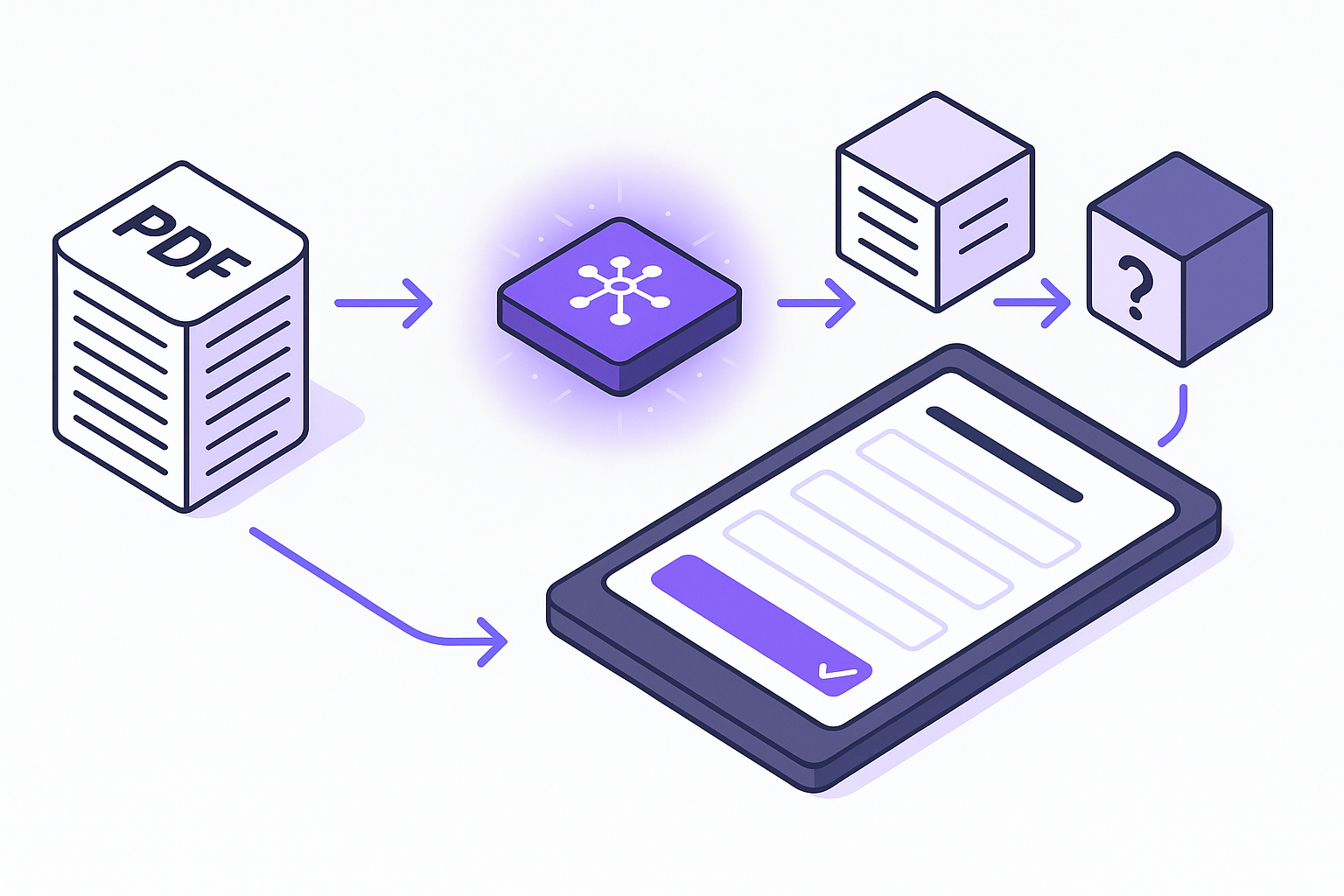
How do AI study tools convert PDFs into quizzes in seconds?
The magic happens through natural language processing and machine learning. When you upload a PDF, the AI scans every page, extracting key concepts, definitions, and relationships between ideas. Penseum instantly transforms notes, PDFs, videos, and PowerPoints into detailed study notes, flashcards, questions and answers, tailored exams, and byte-sized lessons.
Here's the technical flow: First, upload your study materials in PDF format or paste YouTube URLs, the AI processes them instantly. The system then breaks down complex information into digestible chunks, creating diverse question types that match your learning goals.
The science backs this up. Testing effect research shows that retrieval practice produces faster retrieval times compared to repeated restudy. Plus, repeated testing helps retention stick long-term.
What really matters? Multiple text reading results in fairly robust knowledge retention with only a slight decrease in scores between one-day and one-week delayed tests. That means the quizzes you generate actually help you remember the material when it counts.
How to convert a 200-page PDF to a quiz with Penseum (step-by-step)
Ready to transform that massive PDF? Here's exactly how to do it with Penseum:
Simply upload your school books and notes to the platform. The system will then convert them into interactive quizzes and flashcards for you to learn from.
The process is refreshingly simple. As one user explained: "Using Penseum is pretty straightforward. First, you upload your study materials – whether it's notes, PDFs, videos, or even PowerPoints. Penseum's AI then gets to work, analyzing your content and transforming it into flashcards, practice questions, and study guides."
You can upload any kind of study material, including PDFs, lecture notes, slides, and more. The platform automatically generates various study formats tailored to your needs.
What sets this tool apart? The platform doesn't just create generic questions, it builds comprehensive study materials that actually help you learn. Students report that the step-by-step solutions finally help them understand where they went wrong, while the flashcards make memorizing complex concepts much easier.
Penseum vs. Memo, StudyPDF & Brainscape—who's the fastest quiz generator?
Let's cut through the marketing fluff and look at real numbers:
| Platform | Users | Processing Speed | Starting Price | Key Feature |
|---|---|---|---|---|
| Penseum | 1,000,000+ learners | Instant | Free | 20+ languages |
| Memo | 300,000+ students | Under 10 minutes | Free/$7.17 monthly | AI Professor mode |
| StudyPDF | 40,000+ students | Instant | $7.99/month yearly | SM-2 algorithm |
| Brainscape | Not specified | 5 seconds per page | $8/month |
Here's what matters: Generation speed averages 10 minutes versus 4 hours manual for a typical document. That's a game-changer when you're racing against deadlines.
Penseum stands out with its massive language support and completely free core features. While competitors like Brainscape requires Pro subscription for AI features, the platform gives you full access to content transformation without reaching for your wallet.
Memo brings unique features like AI Professor mode that reads your PDFs, flips pages as it speaks, and adapts explanations to your material. Meanwhile, AIFlash.Cards starts at $7 per month for premium features.
Why do AI-generated quizzes improve retention & accessibility?
The research is crystal clear on this. AI can provide real-time transcription of lectures and discussions, offering live captions that benefit deaf and hard-of-hearing students, students with auditory processing disabilities, and those needing language or communication support.
Beyond accessibility, the learning science is compelling. Spaced repetition maintains retention rates of 61.3% after three months, compared to just 50.3% with traditional methods. That's because AI quizzes leverage active recall, forcing your brain to retrieve information rather than passively review it.
StudyPDF's SM-2 algorithm masters content efficiently through advanced spaced repetition. The system tracks your performance and adapts, showing you difficult concepts more frequently until they stick.
For diverse learners, this is revolutionary. Flashcards earn engagement ratings of 4.2/5 and perceived effectiveness of 4.5/5 among students. The retention enhancement reaches 70% better long-term knowledge retention compared to traditional study methods.

7 pro tips to create high-quality AI quizzes (and avoid hallucinations)
AI is powerful, but it's not perfect. AI output can sound confident but these tools can make up ("hallucinate") or misrepresent information, draw false conclusions, make major mistakes and generate fake sources.
Here's how to get the best results:
-
Start with clean source material: High-quality PDFs with clear text produce better quizzes
-
Review and verify: Always check AI-generated questions against your source material
-
Use specific prompts: Tell the AI exactly what you want: topic focus, difficulty level, question types
-
Leverage spaced repetition: Schedule review sessions using the platform's algorithms
-
Mix question types: Combine multiple choice, fill-in-the-blank, and short answer formats
-
Track your progress: Use analytics to identify weak areas and adjust your study plan
-
Export and integrate: Many platforms let you export to Anki or Quizlet for flexibility
Gen AI could help accelerate lesson & exercise generation, get students to higher levels of Bloom's taxonomy through active learning, and even reverse engineer a course through the extraction of learning outcomes from existing content.
Remember: The goal isn't to replace studying, it's to make it more efficient and effective.
Key takeaways
Forget spending hours creating flashcards manually. Modern AI study tools transform massive PDFs into interactive quizzes in minutes, not hours. The data proves it works: better retention, improved grades, and half the study time.
Penseum is used by over 1,000,000 learners from top institutions and offers both free and premium subscription options for its services. The free tier gives you everything you need to start converting PDFs into quizzes today.
The choice is simple: Keep wasting 60% of your study time on manual tasks, or let AI handle the heavy lifting while you focus on actually learning. With Penseum's instant conversion, support for 20+ languages, and proven learning science backing it up, you're not just studying harder, you're studying smarter.
Ready to ace that exam? Upload your PDF to Penseum and watch it transform into the perfect study companion. Your future self will thank you when you're walking out of that test room with confidence instead of regret.
Frequently Asked Questions
How do AI study tools convert PDFs into quizzes?
AI study tools use natural language processing and machine learning to scan PDFs, extracting key concepts and creating quizzes. This process involves breaking down complex information into digestible chunks, making it easier for students to study effectively.
What are the benefits of using AI-generated quizzes?
AI-generated quizzes improve retention and accessibility by leveraging active recall and spaced repetition. This method enhances long-term knowledge retention and provides real-time transcription for diverse learners, making study sessions more effective.
How does Penseum compare to other quiz generators?
Penseum stands out with its instant processing speed, support for 20+ languages, and free core features. Unlike competitors, it offers comprehensive study materials without requiring a subscription, making it a cost-effective choice for students.
What are some tips for creating high-quality AI quizzes?
To create effective AI quizzes, start with clean source material, review AI-generated questions, use specific prompts, leverage spaced repetition, mix question types, track progress, and export quizzes to platforms like Anki or Quizlet.
How does Penseum support diverse learners?
Penseum provides real-time transcription and live captions, benefiting students with auditory processing disabilities and those needing language support. Its AI-generated quizzes also enhance retention through active recall and spaced repetition.
Sources
- https://penseum.com/
- https://studypdf.net/guides/mastering-academic-success-with-smart-study-tools
- https://www.brainscape.com/academy/text-images-to-flashcards-ai/
- https://studypdf.net/
- https://scholar.afit.edu/cgi/viewcontent.cgi?params=/context/docs/article/1139/&path_info=AFIT_Gen_AI_Guidebook.pdf
- https://www.toolify.ai/tool/penseum
- https://www.memo.cards/
- https://www.aitechsuite.com/alternatives/penseum.com
- https://www.everylearnereverywhere.org/wp-content/uploads/Where-AI-Meets-Accessibility-Final.pdf
- https://files.eric.ed.gov/fulltext/ED673750.pdf