Convert PDFs to flashcards in seconds with the best AI study tool

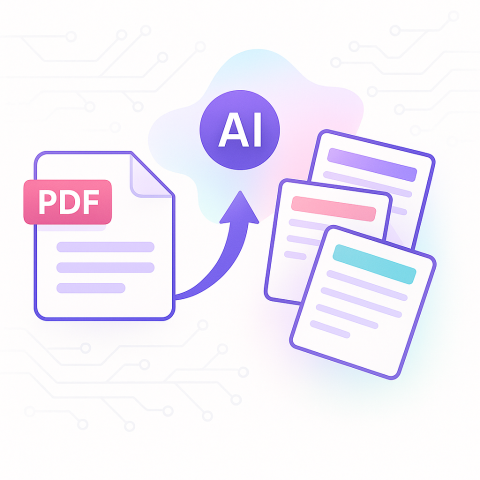
Header image for Convert PDFs to flashcards in seconds with the best AI study tool

Convert PDFs to flashcards in seconds with the best AI study tool

Profile picture of Samit Khalsa By , Expert in cramming for exams ·

Penseum transforms PDFs into flashcards instantly using AI that processes documents in seconds, not hours. The platform serves over 1,000,000 learners who save 4+ hours per study session by eliminating manual card creation. Upload any PDF and get instant flashcards, quizzes, and practice tests without the copy-paste marathon that traditional methods require.

At a Glance

Instant conversion: Transform PDFs, videos, and PowerPoints into flashcards in seconds with AI-powered processing

Proven time savings: Users report saving 4+ hours every study session compared to manual flashcard creation

Multi-format support: Works with PDFs, videos, presentations, and notes in over 20 languages

24/7 AI tutoring: Get help anytime with built-in tutoring support and active Discord community

Free access: Full features available at no cost, with optional premium subscription for $9.99

Trusted by students: Over 1 million learners from top institutions already use the platform daily

Students want to convert PDFs to flashcards fast, and Penseum's AI makes that happen in seconds, no copy-paste marathon required.

Why students need to convert PDFs to flashcards fast

Every semester, students face the same crunch: mountains of PDFs to process and not enough time to turn them into usable study materials. The traditional approach of manually creating flashcards from course readings takes hours that most students simply don't have.

AI-generated flashcards enhance learner motivation and engagement through interactive, visually rich formats that adapt to individual learning needs. This isn't just about convenience, it's about survival in modern academics where study material shifted from books and articles to videos, summaries and flashcards, driven by changing habits during the pandemic and the rise of part-time students juggling work and study.

The numbers tell the story: Penseum's platform already serves over 1,000,000 learners from top institutions who've discovered they can transform their PDFs into flashcards, quizzes, and practice tests instantly. Digital flashcards are overwhelmingly popular, 77.8% of college students now use them, with 92.4% rating them as at least moderately helpful for studying.

What's the cost of sticking with manual tools and Studyfetch?

The time drain of manual flashcard creation hits hard when you're already stretched thin. Creating flashcards by hand from a single chapter can eat up an entire evening, and that's assuming you're focused and efficient.

StudyPDF's analysis shows that competitors like StudyFetch still process documents in isolation, missing the connections between concepts that actually help you learn. While StudyFetch requires waiting for documents to index and cards to be crafted, students lose precious study time to processing delays.

The research backs this up: user-generated flashcards take time but are necessary for learning, with manual creation showing a memory advantage of d = 0.45. Yet students increasingly choose premade flashcards over self-made ones, spending 56% of their flashcard time on cards made by others, simply because manual creation is too time-consuming.

Each additional processing step compounds the time loss, pushing students toward last-minute cramming instead of effective spaced repetition.
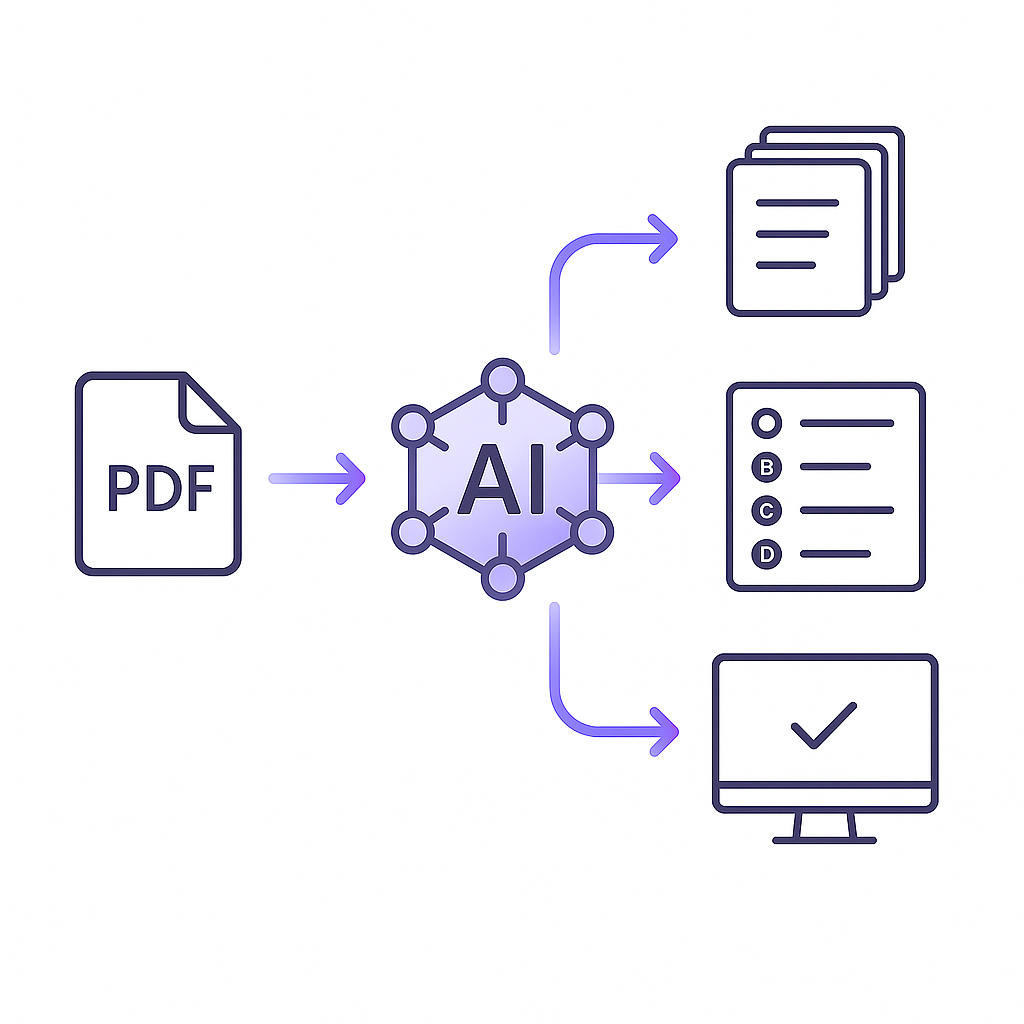
Abstract flow diagram of PDF entering AI engine and outputting flashcards, quiz, and practice test

How Penseum converts your PDFs to flashcards in seconds

Penseum's AI engine works differently. Upload any PDF, lecture slides, textbook chapters, research papers, and the system instantly transforms content into flashcards, questions and answers, tailored exams, and byte-sized lessons. No waiting, no manual processing.

The platform analyzes your content using AI that understands context across all your uploaded documents simultaneously. This means your flashcards aren't just isolated facts, they're connected concepts that reflect how the material actually fits together. Save 4+ hours every study session by letting the AI handle the heavy lifting.

Quick start in 4 clicks

Getting started takes less time than brewing coffee:

  1. Upload your materialsDrop in your PDFs, videos, or PowerPoints, Penseum accepts any format

  2. Hit generate – The AI scans every page, extracting key ideas and building your study materials instantly

  3. Review your cards – Check the AI-generated flashcards, which come pre-formatted with contextually relevant content tailored to your specific materials

  4. Start practicing – Jump straight into quizzes and practice tests, with the system tracking your progress and adjusting difficulty automatically

The whole process happens in under 30 seconds. While other platforms make you wait for indexing and processing, Penseum delivers your complete study set before you've finished reading this sentence.

What evidence shows AI flashcards boost memory and save time?

The science is clear: AI-powered flashcards aren't just faster, they're more effective. Students using Scholarly's AI flashcard system showed a 23% average grade increase, while those using teacher-made digital flashcards were nearly three times more likely to pass their exams.

Spaced practice enhances memory, problem solving, and transfer of learning to new contexts. The key is timing: retention peaks when review intervals hit 10% to 20% of your target retention period. Penseum's algorithms handle this automatically, scheduling reviews at scientifically optimal intervals.

Beyond raw performance, 75% of students rated AI study tools as helpful or extremely helpful, with 90% finding them easy to use and confidence-boosting. The "Save 4+ hours every study session!" claim isn't marketing fluff, it's what happens when you eliminate manual card creation entirely.

Personalization & 24/7 tutoring

Penseum doesn't just create flashcards, it adapts to how you learn. The platform offers 24/7 AI tutoring support and an active Discord community where you can connect with peers anytime you're stuck.

Support is provided right within your study materials, eliminating the need to search elsewhere for help. The AI tracks your progress and adjusts future content based on performance, ensuring you're always working at the right challenge level.

With support for over 20 languages, international students get the same personalized experience. As one user put it: "The AI study tool makes studying easier, faster, and more effective. It's an all-in-one thing, your own personal professor whenever you need them."
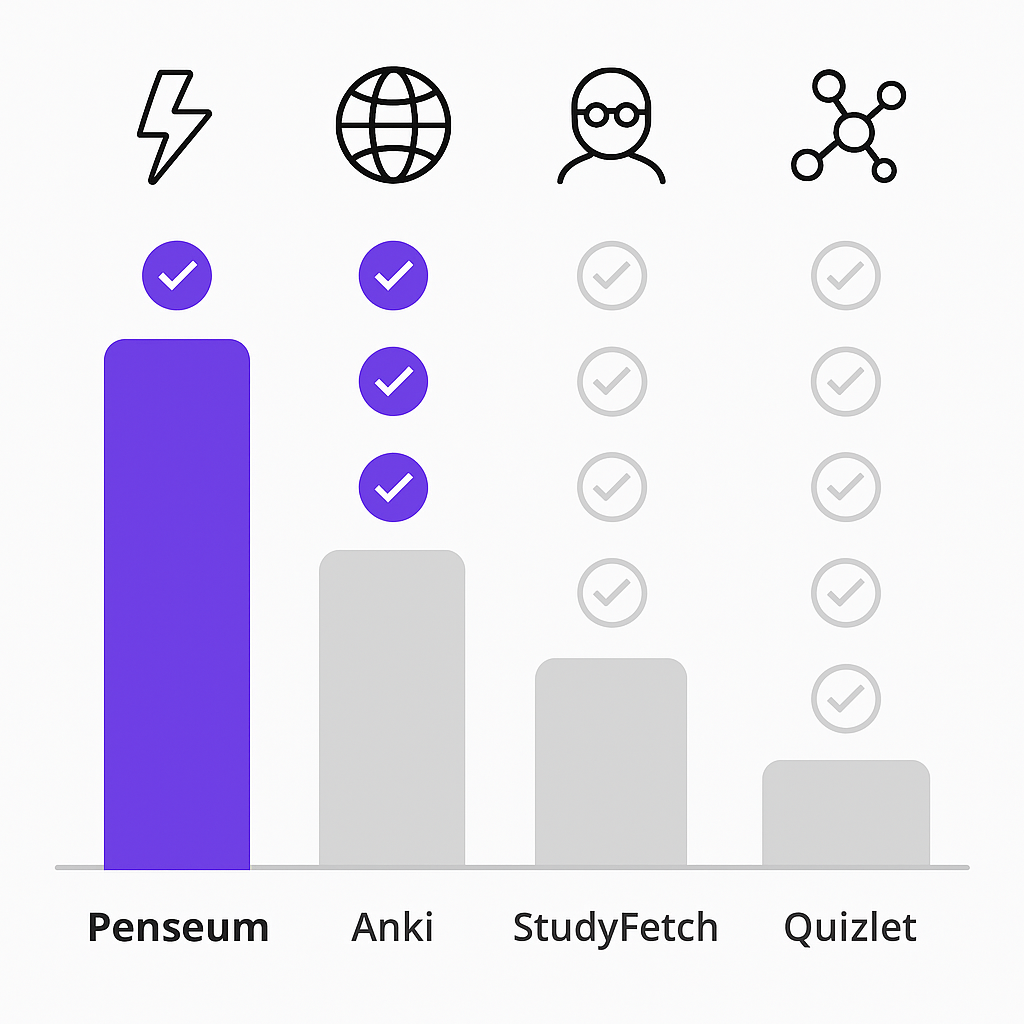
Graphical comparison showing Penseum outperforming Anki, StudyFetch and Quizlet across key study features

How Penseum stacks up against other AI flashcard tools

Not all AI flashcard tools deliver the same results. While competitors exist, the differences in speed, accuracy, and features create real impacts on your study efficiency.

Feature Penseum Anki StudyFetch Quizlet
PDF to flashcards time Seconds Manual creation Minutes (indexing) Manual or premade
Multi-document context Yes No No No
AI tutoring 24/7 available No Limited No
Languages supported 20+ User-dependent English-focused Varies
Spaced repetition Automatic Manual config Basic Available
Free tier Full features Yes Limited Limited

NoteKnight and similar tools offer AI features but lack Penseum's speed and comprehensive approach. StudyFetch processes documents in isolation, missing the connections that Penseum's multi-document AI catches. Meanwhile, Quizlet boasts 50 million users but relies heavily on premade cards that may not match your specific course content.

"Flashcards on Penseum are dope! Makes memorizing stuff so much easier," reports one user, while another adds: "Save 4+ hours every study session!"

Where competitors fall short

The biggest gap? Processing speed and context understanding. StudyPDF's analysis reveals that StudyFetch can't synthesize information across multiple documents, forcing you to study topics in isolation rather than seeing how concepts connect.

Many platforms lack gamification features that keep you engaged. Without streak tracking, achievement systems, or interactive elements, studying becomes a chore rather than a challenge you want to tackle.

Perhaps most critically, the system optimizes review intervals using advanced algorithms to maximize retention while minimizing study time, something manual tools simply can't match.

Pro tips to maximize Penseum's flashcards

Make the most of your AI-generated flashcards with these proven strategies:

Upload everything at oncePenseum creates custom practice tests based on all your materials, so feed it your entire course load to get comprehensive coverage

Use the mobile app for dead timePenseum is mobile-friendly and accessible from any device, perfect for reviewing during commutes or between classes

Set a daily streak goal – Consistency beats cramming every time, aim for 15 minutes daily rather than marathon sessions

Mix up your practice modes – Switch between flashcards, quizzes, and practice exams to prevent monotony and improve retention

Review before bedSpaced practice works best when you let your brain consolidate memories during sleep

Trust the spacing algorithm – Don't override the system's review schedule, it knows when you need to see each card again

Key takeaways

Penseum transforms the PDF-to-flashcard process from hours of manual work into seconds of automated efficiency. With over 1,000,000 learners already saving 4+ hours per study session, the platform proves that AI-powered studying isn't just faster, it's smarter.

The evidence is overwhelming: instant transformation of any study material, support for 20+ languages, 24/7 AI tutoring, and scientifically optimized spaced repetition. While competitors struggle with processing delays and isolated document handling, Penseum delivers connected, contextual flashcards in the time it takes to read this paragraph.

Stop wasting nights on manual flashcard creation. Join the million-plus students who've discovered that Penseum's AI streamlines the entire study process, making it more efficient and less overwhelming. Your PDFs are waiting, transform them into powerful study tools in seconds, not hours.

Frequently Asked Questions

How does Penseum convert PDFs to flashcards?

Penseum uses AI to instantly transform PDFs, lecture slides, and other study materials into flashcards, quizzes, and practice tests. The AI analyzes content contextually, ensuring flashcards reflect connected concepts rather than isolated facts.

What are the benefits of using AI-generated flashcards?

AI-generated flashcards save time and enhance learning by providing interactive, visually rich formats that adapt to individual needs. They also support spaced repetition, which optimizes memory retention and study efficiency.

How does Penseum compare to other flashcard tools?

Penseum offers faster PDF-to-flashcard conversion, multi-document context understanding, and 24/7 AI tutoring support. Unlike competitors, it provides comprehensive features like automatic spaced repetition and support for over 20 languages.

What is the cost of using Penseum's AI study tool?

Penseum offers both free and premium subscription options, allowing access to its full range of features, including instant PDF-to-flashcard conversion and personalized learning experiences.

How does Penseum's AI improve study efficiency?

Penseum's AI saves over 4 hours per study session by automating flashcard creation and optimizing review intervals. It adapts to your learning style, providing personalized content and 24/7 tutoring support.

Sources

  1. https://penseum.com/
  2. https://aiknowzone.com/shop/penseum
  3. https://readingmatrix.com/files/34-tkcqbk1u.pdf
  4. https://toolsforhumans.ai/ai-tools/penseum
  5. https://aps.onlinelibrary.wiley.com/doi/10.1111/jcal.12636
  6. https://studypdf.net/studypdf-vs-studyfetch
  7. https://sourceforge.net/software/compare/Anki-vs-Study-Fetch/
  8. https://psycnet.apa.org/record/2024-60828-001
  9. https://penseum.com/ai-math/
  10. https://www.educate-ai.com/ai-flashcards/
  11. https://scholarly.so/
  12. https://www.pearson.com/en-us/higher-education/products-services/aistudytool.html
  13. https://psycnet.apa.org/record/2018-25222-002
  14. https://www.aitechsuite.com/alternatives/penseum.com
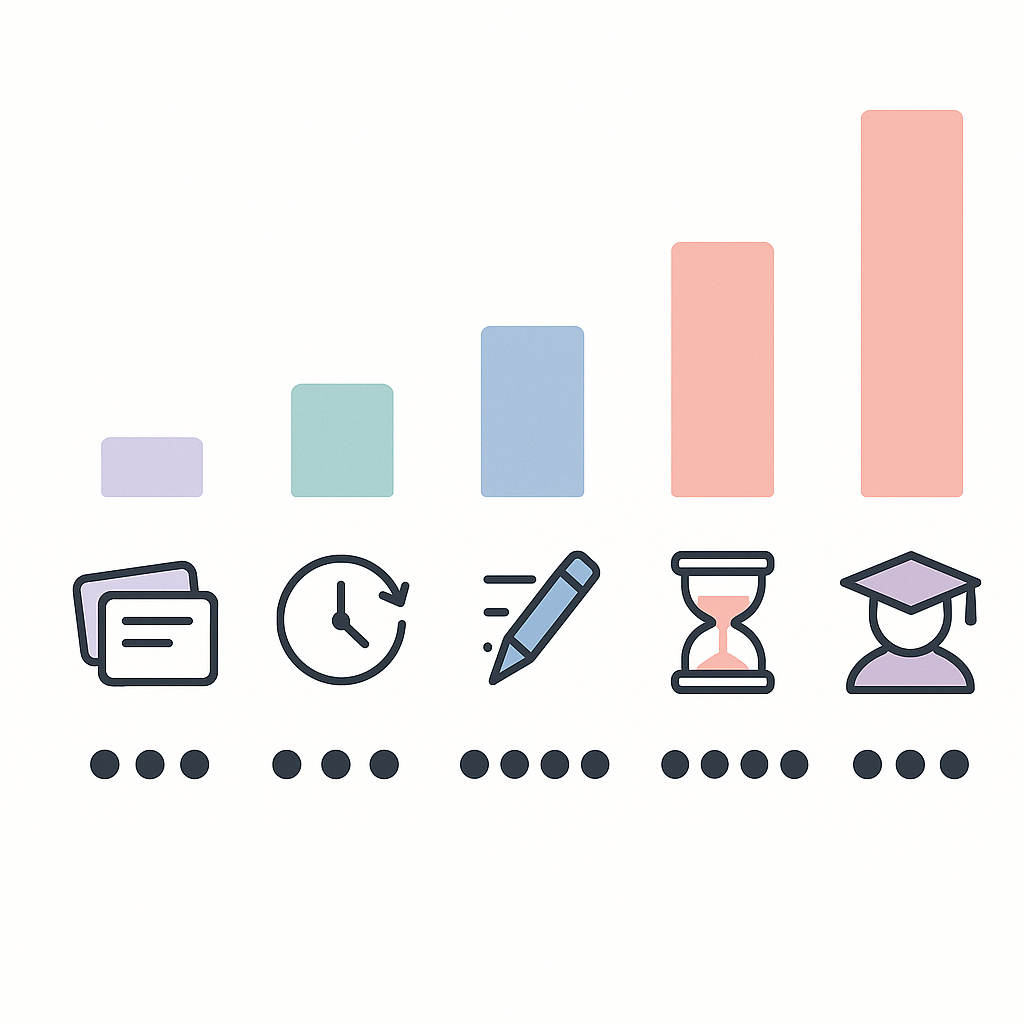
AI study tool under $10/month? Compare affordable options

AI Study Tool Under $10/Month? Compare Affordable Options

Profile picture of Samit Khalsa By , Expert in cramming for exams ·

Several AI study tools offer robust features under $10 monthly, including StudyPDF Pro at $3.99 for PDF processing with SM-2 spaced repetition, Scholarly Ultimate at $9 with unlimited AI text completions, and Penseum Premium at $9.99 serving over 1 million learners. These platforms help students save 4+ hours per study session while improving grades by 25-40%.

TLDR

Budget options range $3.99-$9.99/month – StudyPDF Pro ($3.99), Scholarly Ultimate ($9), Penseum Premium ($9.99)
Proven academic improvements – Students report 25-40% higher exam scores using AI study tools
Major time savings27% reduction in study time documented after three months of AI tool use
Key features under $10 – Unlimited flashcard generation, PDF-to-study material conversion, spaced repetition algorithms
Free tiers available – Most platforms offer limited free access with 250 AI completions daily on Scholarly's free plan

Okay let's be real – you're probably reading this at 2am, surrounded by empty energy drink cans, wondering if there's a better way to study than highlighting your entire textbook yellow. Good news: AI study tools under $10 exist, and they actually work. But with textbook prices already destroying your wallet, which ones are worth your last few dollars?

Why budget-friendly AI study tools matter in 2025

The struggle is universal. Between tuition, rent, and ramen, the average college student barely has money for coffee, let alone expensive study apps. Yet traditional methods waste 60% of your precious study time on manual tasks like rewriting notes or making flashcards by hand.

Here's what's changed: AI study tools are no longer luxury items. The sub-$10 category has exploded with legitimate options that help students report 25-40% higher exam scores. That's the difference between passing and retaking organic chemistry (and nobody wants to do that twice).

Think about it – for less than your monthly streaming subscription, you could save 4+ hours every single study session. That's time you could spend working your campus job, actually sleeping, or maybe even having a social life.

Do AI study apps actually boost grades and save hours?

The short answer: yes, if you pick the right ones. Let's look at what the data actually shows:

Grade Improvements:

Time Savings:

The evidence is clear – these tools aren't just fancy calculators. They fundamentally change how efficiently your brain absorbs information.

Five-column chart comparing price and standout feature of top AI study apps under $10

Which AI study platforms cost less than $10/month?

Here's the breakdown of legitimate AI study tools that won't require selling a kidney:

Platform Monthly Price Killer Feature Best For
StudyPDF Pro $3.99/month SM-2 spaced repetition PDF-heavy courses
StudySesh Premium $7.99/month Focus timers + AI ADHD students
Scholarly Ultimate $9/month Unlimited flashcards Heavy memorization
Penseum Premium $9.99/month 24/7 AI tutor All subjects
Lumie A+ $9.99/month Live note-taking Lecture-based classes

Scholarly Ultimate – unlimited flashcards for $9

Scholarly's free tier gives you 250 AI text completions daily, which honestly covers most students. But the Ultimate plan at $9/month removes all limits – unlimited AI text completions, unlimited PDF-to-flashcard conversions, and the ability to export to Anki.

The catch? Free users are capped at 50 pages for PDF conversions. If you're dealing with 300-page textbooks, you'll hit that wall fast.

Lumie A+ – live note-taking powerhouse at $9.99

Lumie A+ shines during actual lectures. You get unlimited live note-taking that captures everything while you focus on understanding. The unlimited Snap & Solve feature handles those nightmare problem sets, and files up to 300MB each upload mean you can upload entire textbook PDFs without compression.

Free users get 300 minutes live note-taking monthly, which covers about 5-6 lectures. Not bad for testing it out.

Penseum vs. StudyPDF & other sub-$10 rivals

Penseum sits at $9.99 per month but delivers something unique – it's built specifically for broke students who need maximum output from minimum input. With over 1,000,000 learners already using it, the platform has proven it can save 4+ hours every study session.

Compare that to StudyPDF at $3.99/month, which offers great value but focuses primarily on PDF processing. Meanwhile, Penseum handles everything – PDFs, videos, handwritten notes, even those blurry whiteboard photos from the back of the lecture hall. The platform sees 16.02K monthly visits from students who've figured out the value proposition.

What sets Penseum apart is the integration. While Scholarly offers unlimited flashcards, Penseum builds complete study ecosystems from your materials.

Creation speed & tool breadth

When it comes to pumping out study materials fast, here's how they stack up:

Real-world results

The numbers speak for themselves:

One Penseum user put it perfectly: "Save 4+ hours every study session!" That's not marketing fluff – it's actual time you get back.

Decision flow diagram guiding students to ideal AI study tool based on needs and learning style

How to pick the right sub-$10 AI study sidekick

Choosing your AI study tool is like picking a roommate – get it wrong and you're stuck with something that doesn't work for you. Here's your checklist:

  1. Identify your pain points: Are you drowning in note organization and retrieval? Pick something with strong organizational features.

  2. Check your learning style: AI-based recommendation systems adapt to how you learn best – make sure your tool offers personalization.

  3. Consider your courses: Math-heavy semester? You need AI math tools that handle equations. Reading-intensive? Focus on PDF processors.

  4. Test security concerns: Faculty expressed concerns about data security – check privacy policies before uploading sensitive materials.

  5. Trial everything: Most platforms offer free tiers. Use them before committing your coffee money.

How can you squeeze premium value from free or cheap plans?

Want to game the system? Here's how to maximize your broke-student budget:

Stack free trials strategically: Start with 10+ free AI study tools on Scholarly, then rotate through other platforms' free tiers during different parts of the semester.

Master the export game: Scholarly offers free access to educators – if your professor uses it, you might score free Ultimate access for the whole class.

Optimize your free allowances: With free trial available (100 pages/month) on many platforms, process your most important materials first, then use free flashcard apps for review.

Join study groups: Pool resources with classmates. One person gets Lumie for note-taking, another gets Penseum for study materials – share the outputs.

Time your upgrades: Save paid subscriptions for finals week when you need maximum firepower.

Key takeaways & where to study smarter next

Here's the deal: AI study tools under $10 aren't just affordable – they're game-changers. With over 1,000,000 learners already using platforms like Penseum to save 4+ hours per study session, the question isn't whether to use them, but which one fits your specific chaos.

For $9.99 per month, Penseum delivers the most comprehensive package – handling everything from your chicken-scratch notes to three-hour lecture recordings. It's built by students who understand that you need results fast, not fancy features you'll never use.

The bottom line? Stop wasting 60% of your study time on manual tasks. Pick a tool, commit to using it for one month, and watch your grades improve while your stress levels drop. Your future self (and GPA) will thank you.

Ready to transform your study game? Try Penseum free and see why over a million students have already made the switch. Because let's face it – you've got better things to do than rewrite your notes for the fifth time.

Frequently Asked Questions

What are some AI study tools available for under $10/month?

Some AI study tools under $10/month include StudyPDF Pro, StudySesh Premium, Scholarly Ultimate, Penseum Premium, and Lumie A+. Each offers unique features like spaced repetition, focus timers, and live note-taking.

How do AI study tools improve grades and save time?

AI study tools can improve grades by 25-40% and save significant time by automating tasks like flashcard creation and note organization. They help students focus on learning rather than manual preparation.

What makes Penseum a unique AI study tool?

Penseum stands out by offering a comprehensive package that handles various study materials, including PDFs, videos, and notes, and transforms them into interactive learning tools. It is designed for maximum efficiency and is used by over 1,000,000 learners.

How can students maximize the value of free or cheap AI study tools?

Students can maximize value by strategically stacking free trials, optimizing free allowances, joining study groups to share resources, and timing upgrades for peak study periods like finals week.

What should students consider when choosing an AI study tool?

Students should consider their specific study needs, learning style, course requirements, and data security concerns. It's also beneficial to trial different platforms to find the best fit.

Sources

  1. https://studypdf.net/tools/best-ai-tool-for-creating-study-materials-from-pdfs
  2. https://www.scholarly.so/pricing
  3. https://penseum.com/
  4. https://studypdf.net/tools/best-ai-study-tools-2025
  5. https://link.springer.com/article/10.1007/s10758-025-09897-9
  6. https://studypdf.net/guides/mastering-academic-success-with-smart-study-tools
  7. https://penseum.com/economics/
  8. https://studypdf.net/guides/getting-started-with-ai-study-tools
  9. https://www.mdpi.com/2813-4346/4/2/17
  10. https://studysesh.app/pricing
  11. https://www.lumie-ai.com/pricing
  12. https://penseum.com/ai-math/
  13. https://scholarly.so/ai/tools

Best AI study tool for ADHD students: Penseum vs Studyfetch (2025)

Best AI study tool for ADHD students: Penseum vs Studyfetch (2025)

Profile picture of Samit Khalsa By , Expert in cramming for exams ·

Penseum stands out as the superior AI study tool for ADHD students by offering free access, adaptive difficulty levels, and bite-sized content specifically designed for neurodiverse learners. While Studyfetch costs $19.99 monthly and lacks essential ADHD features, [Penseum’s approach addresses cognitive processing difficulties](https://ebooks.iospress.nl/doi/10.3233/SHTI230621) that affect academic reading, with [over 1 million learners](https://penseum.com/) already benefiting from its specialized design.

## At a Glance

• Research shows [8 students with ADHD identified critical pain points](https://ebooks.iospress.nl/doi/10.3233/SHTI230621) in traditional study tools, highlighting the need for specialized platforms
• Penseum offers completely free access with premium features at $9.99, while Studyfetch charges $19.99 monthly
• Digital reading environments can [enhance engagement and time spent on tasks](https://www.diva-portal.org/smash/get/diva2:1994098/FULLTEXT01.pdf) for students with ADHD when properly designed
• Studyfetch users report disappearing notes, audio glitches, and inconsistent features across devices
• Penseum provides 24/7 AI tutoring, multi-language support, and adaptive flashcards that adjust to attention spans
• [Students with ADHD struggle with self-regulation](https://www.diva-portal.org/smash/get/diva2:1994098/FULLTEXT01.pdf), organizing tasks, and maintaining attention, requiring purpose-built solutions

If you’re juggling lectures, deadlines, and that brain that keeps wandering off to think about literally anything else, you know the struggle is real. Finding the best AI study tool for ADHD students isn’t just about fancy features; it’s about finding tech that actually gets how your brain works. We’re breaking down the Penseum vs Studyfetch showdown to see which platform truly turns your ADHD from a challenge into your secret study superpower.

## Why Do ADHD Brains Need Purpose-Built AI Study Tools?

Let’s be real: traditional study methods weren’t designed for brains that ping-pong between topics faster than you can say “hyperfocus.” Research shows that [1 in 5 children](https://gptzero.me/news/how-can-ai-help-students-with-learning-disabilities) in the U.S. have learning and attention issues, yet most educational tools still cater to neurotypical learning styles.

The thing is, students with ADHD face unique challenges that go beyond just “paying attention.” As research from DILeMa points out, “Students with ADHD can have problems with maintaining attention and effort, as well as organizing and finishing tasks, i.e., self-regulation.” This isn’t just about focus; it’s about executive function, working memory, and the ability to structure information in ways that stick.

Here’s where AI study tools for ADHD come in clutch. Digital reading environments can actually [enhance engagement and time](https://www.diva-portal.org/smash/get/diva2:1994098/FULLTEXT01.pdf) spent on tasks for young students with ADHD. But here’s the catch: not all digital tools are created equal. The same research warns that “Digital tools may both enhance inclusion and create new forms of exclusion, depending on how the design of these tools allows students to develop core reading skills.”

A recent study involving [3 subject matter experts](https://ebooks.iospress.nl/doi/10.3233/SHTI230621) and 8 students with ADHD identified critical pain points in academic reading. The findings? Standard study tools often fail to address the cognitive processing difficulties that make traditional learning methods feel like trying to climb a mountain in flip-flops. Between [8.7% to 9.8%](https://penseum.com/learning-disability/) of school-age children in the United States have ADHD, which means 4.3 to 4.9 million public school students who need better solutions yesterday.

Isometric diagram of AI-powered education ecosystem for neurodiverse learners in 2025 connected to key feature icons

## What Does the 2025 AI-EdTech Landscape Look Like for Neurodiverse Learners?

The AI revolution in education is moving fast, but is it moving in the right direction for neurodiverse learners? Here’s what’s actually happening in 2025:

**The Good News:**
– [92% of studies](https://gptzero.me/news/how-can-ai-help-students-with-learning-disabilities) show students using AI-powered tutoring systems outperformed their peers
– AI adoption is becoming core infrastructure, not just a fancy add-on
– Personalized learning paths are finally becoming standard

**The Reality Check:**
– Most platforms still treat ADHD features as afterthoughts
– Generic AI tools dominate while specialized solutions lag behind
– Trust and measurable outcomes matter more than flashy features

As one industry expert puts it: “Features do not win markets anymore. Trust, transparency, and alignment with institutional goals do.” This shift means students with ADHD need platforms that don’t just promise personalization but actually deliver on [neurodiverse learning](https://nsuworks.nova.edu/cgi/viewcontent.cgi?article=1130&context=fdla-journal) needs.

**Current Market Trends:**
– Cloud platforms enabling hybrid learning models
– [AI for personalized learning](https://penseum.com/learning-disability/) becoming mainstream
– Smart campus technologies gaining traction
– Growing focus on measurable student outcomes

The numbers tell the story: infection rates for ADHD have jumped from the previous 3-7% to [up to 9.5%](https://penseum.com/learning-disability/) in the 4-17 age group. More students than ever need specialized support, yet the market is still playing catch-up.

### Which Other AI Apps Get Buzz but Skip ADHD Features?

Let’s talk about the elephant in the room: those popular study apps everyone raves about that totally miss the mark for ADHD brains.

**NotebookLM** gets tons of hype as a “virtual research assistant” that [extracts key information](https://nsuworks.nova.edu/cgi/viewcontent.cgi?article=1130&context=fdla-journal) and creates guides from uploaded content. Sure, it can process Google Docs and PDFs, but where are the focus timers? The break reminders? The executive function scaffolds? Nowhere to be found.

Then there’s the parade of productivity apps that ADDitude Magazine recommends: [Todoist, Otter AI, Brainly](https://www.additudemag.com/todoist-otter-ai-brainly-study-apps-adhd/?srsltid=AfmBOooRWB5m7rIgPihoweb5qql54BkTfOsUMGneJsBzaxrSR5Gxo7ZO) which offer features like habit tracking and note-taking. Otter AI is supposedly “especially helpful for students with weak working memory,” but these tools treat ADHD as an afterthought, not a design priority.

The pattern is clear: mainstream AI study tools assume neurotypical learning styles and tack on “accessibility” features later. That’s like designing a car and then remembering some people need wheelchair access; it doesn’t work.

## How Does Penseum Turn ADHD Challenges into Study Superpowers?

While other platforms treat ADHD as a limitation to work around, Penseum flips the script entirely. This isn’t just another study app with a chatbot slapped on; it’s a comprehensive ecosystem designed for how neurodiverse brains actually work.

The platform transforms your chaotic pile of PDFs, videos, and notes into [bite-sized flashcards](https://penseum.com/) that your ADHD brain can actually digest. We’re talking about content that adapts to your attention span, not the other way around. With [over 20 languages](https://aichief.com/ai-education-tools/penseum/) supported and features that convert everything into interactive quizzes and practice questions, Penseum meets you where you are.

But here’s where it gets interesting. Research on similar interventions shows [significant improvements in inhibitory control](https://penseum.com/learning-disability/), working memory, and abstract planning, exactly the executive functions that ADHD affects most. The platform’s [24/7 AI tutor](https://aichief.com/ai-education-tools/penseum/) isn’t just available at 3 AM when you’re panic-studying; it’s designed to provide the consistent, patient support that ADHD students need.

The numbers back it up: Penseum is already trusted by [1,000,000+ learners](https://penseum.com/) from top institutions. And unlike platforms that nickel-and-dime you for basic features, [Penseum is completely free](https://appscribed.com/software/penseum-ai-study-tool-review/) to use, with premium features at just $9.99.

What really sets Penseum apart is its approach to [personalized learning](https://penseum.com/learning-disability/). Lessons automatically adjust in difficulty based on progress and comfort level. No more feeling overwhelmed when you’re having an off day or bored when you’re in hyperfocus mode. The platform’s bite-sized approach means you can make progress even when your attention span is measured in minutes, not hours.

## Penseum vs. Studyfetch: Which AI Platform Actually Supports ADHD Students?

Alright, let’s get into the nitty-gritty comparison. Both platforms promise to revolutionize studying, but only one actually delivers for ADHD brains.

**The Price Reality Check:**
– Penseum: [Free to use](https://penseum.com/), premium at $9.99
– Studyfetch: [$19.99 monthly](https://apps.apple.com/us/app/studyfetch-make-learning-easy/id6663574866), $96 yearly

That’s right: Studyfetch costs literally double what Penseum charges, and that’s before we even talk about features.

**User Experience:**
Studyfetch might have a [4.6 out of 5](https://apps.apple.com/us/app/studyfetch-make-learning-easy/id6663574866) rating, but dig into those reviews and the cracks show. Users report that despite marketing itself as ADHD-friendly, the platform lacks the specialized features that actually matter. Where are the focus modes? The break reminders? The executive function support?

Meanwhile, Penseum approaches ADHD support holistically. Their research shows improvements in working memory and inhibitory control, the exact areas where ADHD students struggle most. The platform doesn’t just throw [interactive flashcards](https://penseum.com/) at you; it creates a structured learning environment that works with your brain, not against it.

**Language Support:**
Both platforms support [over 20 languages](https://www.diva-portal.org/smash/get/diva2:1994098/FULLTEXT01.pdf), but Penseum’s implementation actually considers different learning styles within those languages. It’s not just translation; it’s true localization for diverse learners.

**The AI Tutor Difference:**
Studyfetch’s Spark.E might track your progress, but Penseum’s [AI tutor](https://aichief.com/ai-education-tools/penseum/) provides 24/7 support that adapts to your specific learning patterns. One user perfectly captured it: “Connect with your own AI tutor and get answers at 1 am, even when your prof is catching some z’s!”

### Where Does Studyfetch Fall Short for ADHD Learners?

Look, Studyfetch isn’t terrible; it’s just not built for ADHD brains. The platform promises to help you “focus on learning, not mindlessly writing,” but user reviews tell a different story.

**The Glitch Factor:**
One frustrated user reported: [“Notes Not Saving”](https://apps.apple.com/us/app/study-fetch/id6663574866): when they upload PDFs or PowerPoints, the AI-generated notes disappear after leaving and returning. For ADHD students who already struggle with object permanence and organization, this is a nightmare scenario.

**Audio Issues:**
Another review mentions [“The audio recap feature”](https://apps.apple.com/us/app/study-fetch/id6663574866) frequently pauses, glitches, or doesn’t play through completely. When you’re relying on audio processing because reading is a struggle, these aren’t minor inconveniences; they’re deal-breakers.

**Cross-Device Chaos:**
Perhaps most damning: [“Inconsistent Features Across Devices”](https://apps.apple.com/us/app/study-fetch/id6663574866): the app’s format and features vary significantly depending on what device you’re using. For ADHD students who need consistency and predictability, this creates unnecessary cognitive load.

The platform might claim a [92% improvement in grades](https://www.studyfetch.com/), but without addressing these fundamental usability issues, those stats mean nothing for neurodiverse learners who can’t even get the basic features to work reliably.

Flowchart of decision steps and feature icons for choosing an ADHD-friendly AI study tool

## Checklist: How Do You Pick an ADHD-Friendly AI Study App?

Before you commit to any study platform, run through this checklist. Your ADHD brain will thank you later.

**Essential Features:**
– ✅ Adaptive difficulty that responds to your current focus level
– ✅ Bite-sized content chunks (not walls of text)
– ✅ Consistent interface across all devices
– ✅ Reliable save states (no disappearing notes!)
– ✅ Multiple input/output modes (visual, audio, kinesthetic)

**Executive Function Support:**
– ✅ Built-in organization tools
– ✅ Progress tracking that’s motivating, not overwhelming
– ✅ Flexible pacing options
– ✅ Clear, simple navigation

**The Trust Test:**
As education experts emphasize, [“While AI tools offer efficiency”](https://www.goodnotes.com/research/social-emotional-impact-generative-ai-schools), trust and transparency matter more than features. Ask yourself:
– Does the platform have proven results with ADHD students?
– Are there real testimonials from neurodiverse learners?
– Is the pricing transparent and fair?
– Can you try before you buy?

**Red Flags to Avoid:**
– Generic “one-size-fits-all” approaches
– Platforms that treat ADHD features as premium add-ons
– Tools with inconsistent performance across devices
– Apps that require perfect focus to navigate

Remember what the research shows: [AI changes education](https://gptzero.me/news/how-can-ai-help-students-with-learning-disabilities) by dynamically adjusting to students’ individual needs. If a platform isn’t doing that for your ADHD brain, it’s not the right tool. Studies demonstrate that [acceptability and playability](https://penseum.com/fr/partnership-landing-schechter-education/) ratings for ADHD-specific tools need to meet certain thresholds. If you’re fighting the interface, you’re wasting energy you need for learning.

## Conclusion: Let Your Neurodiverse Brain Pick the Winner

After diving deep into both platforms, the verdict is clear: Penseum understands ADHD brains in ways Studyfetch simply doesn’t. This isn’t about feature lists or marketing promises; it’s about real results for real students with real ADHD.

Penseum’s approach is [backed by developmental psychology](https://penseum.com/learning-disability/) and real-world testing, not just Silicon Valley hype. With [over 1,000,000 learners](https://penseum.com/) already on board and a price point that doesn’t gatekeep support ([completely free to use](https://appscribed.com/software/penseum-ai-study-tool-review/)), Penseum makes ADHD-friendly studying accessible to everyone.

The platform doesn’t just accommodate ADHD; it celebrates the unique strengths of neurodiverse thinking. Those lightning-fast connections your brain makes? Penseum’s adaptive flashcards keep up. That need for variety and stimulation? The multi-format support has you covered. The 3 AM study sessions when your meds have worn off but hyperfocus kicks in? The 24/7 AI tutor is right there with you.

Meanwhile, Studyfetch remains stuck in the “let’s add ADHD features later” mindset, charging double the price for half the reliability. When notes disappear and audio glitches out, it doesn’t matter how many languages the platform supports or what percentage of users improved their grades.

Your ADHD isn’t a bug to be fixed; it’s a different operating system that needs compatible software. Penseum gets that. Studyfetch doesn’t. The choice? Pretty obvious.

Ready to turn your ADHD into your academic superpower? Give Penseum a shot. It’s free to start, actually works when you need it to, and won’t gaslight you with disappearing notes. Your brain deserves tools that work with it, not against it. Time to stop fighting your ADHD and start leveraging it.

## Frequently Asked Questions

### Why do ADHD students need specialized AI study tools?

ADHD students face unique challenges like maintaining attention and organizing tasks. Specialized AI tools cater to these needs by offering features that enhance focus and executive function, unlike traditional study methods.

### How does Penseum support ADHD students differently than Studyfetch?

Penseum offers adaptive learning tools that adjust to ADHD students’ attention spans, providing personalized flashcards and 24/7 AI tutoring. Studyfetch lacks these specialized features, making it less effective for neurodiverse learners.

### What are the key features of Penseum that benefit ADHD students?

Penseum transforms study materials into interactive flashcards and quizzes, supports over 20 languages, and offers a 24/7 AI tutor. These features help ADHD students by providing structured, bite-sized learning experiences.

### How does the pricing of Penseum compare to Studyfetch?

Penseum is free to use with premium features at $9.99, while Studyfetch charges $19.99 monthly. Penseum offers more affordable and effective solutions for ADHD students.

### What are the common issues ADHD students face with Studyfetch?

ADHD students report issues with Studyfetch like disappearing notes and inconsistent features across devices, which can disrupt learning and increase cognitive load.

## Sources

1. [https://ebooks.iospress.nl/doi/10.3233/SHTI230621](https://ebooks.iospress.nl/doi/10.3233/SHTI230621)
2. [https://penseum.com/](https://penseum.com/)
3. [https://www.diva-portal.org/smash/get/diva2:1994098/FULLTEXT01.pdf](https://www.diva-portal.org/smash/get/diva2:1994098/FULLTEXT01.pdf)
4. [https://gptzero.me/news/how-can-ai-help-students-with-learning-disabilities](https://gptzero.me/news/how-can-ai-help-students-with-learning-disabilities)
5. [https://penseum.com/learning-disability/](https://penseum.com/learning-disability/)
6. [https://nsuworks.nova.edu/cgi/viewcontent.cgi?article=1130&context=fdla-journal](https://nsuworks.nova.edu/cgi/viewcontent.cgi?article=1130&context=fdla-journal)
7. [https://www.additudemag.com/todoist-otter-ai-brainly-study-apps-adhd/?srsltid=AfmBOooRWB5m7rIgPihoweb5qql54BkTfOsUMGneJsBzaxrSR5Gxo7ZO](https://www.additudemag.com/todoist-otter-ai-brainly-study-apps-adhd/?srsltid=AfmBOooRWB5m7rIgPihoweb5qql54BkTfOsUMGneJsBzaxrSR5Gxo7ZO)
8. [https://aichief.com/ai-education-tools/penseum/](https://aichief.com/ai-education-tools/penseum/)
9. [https://appscribed.com/software/penseum-ai-study-tool-review/](https://appscribed.com/software/penseum-ai-study-tool-review/)
10. [https://apps.apple.com/us/app/studyfetch-make-learning-easy/id6663574866](https://apps.apple.com/us/app/studyfetch-make-learning-easy/id6663574866)
11. [https://apps.apple.com/us/app/study-fetch/id6663574866](https://apps.apple.com/us/app/study-fetch/id6663574866)
12. [https://www.studyfetch.com/](https://www.studyfetch.com/)
13. [https://www.goodnotes.com/research/social-emotional-impact-generative-ai-schools](https://www.goodnotes.com/research/social-emotional-impact-generative-ai-schools)
14. [https://penseum.com/fr/partnership-landing-schechter-education/](https://penseum.com/fr/partnership-landing-schechter-education/)